How to Choose a Bike Computer: Features That Actually Matter
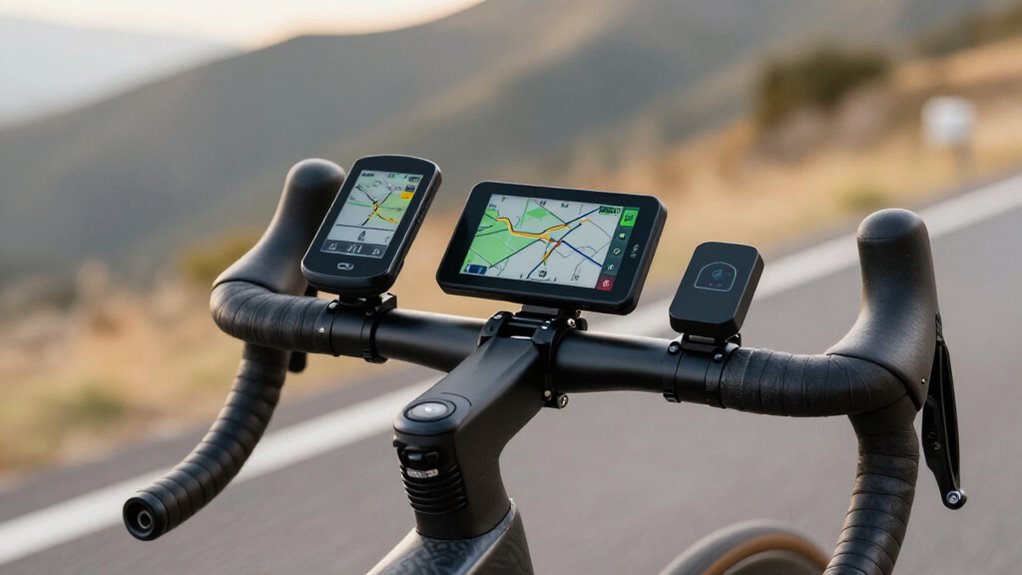
Choose navigation first: you’ll want full-colour maps, turn-by-turn directions, and fast rerouting for unfamiliar or multi-day routes.
For ultras, target 15–20 hours of real-world battery life, not optimistic claims.
Confirm ANT+ support for your heart-rate strap, power meter, and radar.
Pick buttons for wet, gloved rides or a hybrid touchscreen for map control.
Commuters should test incident alerts, phone pairing, mount clearance, map fees, IPX rating, and USB-C charging.
The details below help you compare.
GPS Mapping Comes First
Navigation should be your first priority if you ride unfamiliar roads, trails, or multi-day routes. Choose full-colour, turn-by-turn mapping with rapid on-device rerouting, so a missed junction doesn’t derail your ride. Garmin Edge 850, 840, and 1040 Solar, plus Bryton Rider 650, suit riders who want guided road navigation.
For terrain-aware routing, Garmin Cycle Maps and ClimbPro-style guidance on the Edge 1050 add gradient and ascent context that generic street mapping lacks.
If you mainly follow prepared tracks, breadcrumb guidance can be enough: Sigma ROX 11.1 Evo pairs this simpler approach with Komoot sync. Choose Garmin Edge Explore 2 for colour maps and rerouting. Check screen usability in motion: 420×600 Edge 850 displays favor detail, while 3.5-inch Edge 1050 and Karoo screens favor overview.
Prioritize Battery Life for Ultras
For ultras, set a 15–20-hour usable-runtime minimum; then discount each manufacturer claim for continuous maps, bright screens, frequent GPS sampling, and rerouting. A ~16-hour Edge Explore 2 sits close to the line; the ~12-hour Edge 130 Plus leaves contingency for delays, cold, or missed turns. Judge runtime in your navigation mode, not the headline maximum.
For multi-day events or long single-day efforts, buy meaningful reserve. The Edge 840 offers about 26 hours, or 32 with solar, while Edge 1050 reaches up to 60 hours. The Edge 1040 Solar claims up to 45 hours when sunlight cooperates.
Compare those figures against your route and charging stops; lower-endurance options, including the Edge 850, can force a mid-event recharge. Carry a power bank if your forecast exceeds stated runtime.
Prioritize ANT+ Sensor Pairing
| Sensor | Why ANT+ | Check |
|---|---|---|
| Heart-rate strap | Reliable live data | HRM profile |
| Power meter | Fast training metrics | Power profile |
| Speed/cadence | Backup distance data | CSC profile |
| Radar/trainer | Safety or ERG control | RADAR/FE-C |
Before buying, verify model-specific support and maximum paired-sensor limits. Garmin units routinely manage several channels; Bluetooth-first alternatives may not. Wake sensors before scanning, replace fading cells, and update firmware. With a dual-sided meter, confirm the unit reads left/right balance and pedal-smoothness fields.
Touchscreen vs Button Controls
Touchscreens let you pan maps and change data pages quickly, but wet screens and gloves can reduce input accuracy. Physical buttons give you consistent, tactile control in rain, cold, and rough terrain.
Choose touch for fast screen navigation, or buttons if reliable on-ride operation matters more.
Glove-Friendly Operation
Control method matters as much as screen quality when you ride in rain, cold, or full-finger gloves. Touchscreens make panning maps, selecting routes, and adjusting fields faster when bare-handed, but touch recognition can become inconsistent with gloves and while moving. If you routinely need page changes, laps, or data checks, choose a button-first unit such as the Wahoo Elemnt Bolt V3. Raised, tactile controls let you confirm an input without looking closely at the display.
Hybrid designs give you flexibility. The Hammerhead Karoo and Garmin Edge 840 combine touchscreen navigation with physical buttons for page control. On touchscreen-led models, favor larger screens, high contrast, and touch sensitivity. The Edge 850’s 420×600 display and Edge 1040 Solar’s screen reduce missed taps with cold, thick fingers.
Wet Weather Usability
When rain hits, physical buttons give you the most reliable way to change pages, start laps, or acknowledge turns without fighting false taps. Button-first units such as the Wahoo ELEMNT Bolt V3 pair a 2.3-inch TFT display with physical controls, so raindrops and wet gloves don’t compromise input.
Touchscreens provide more direct map interaction and can remain highly readable outdoors. The Garmin Edge 840’s transflective TFT helps preserve visibility in variable weather, but water on the panel may require wiping before touch registers accurately. Premium screens, including the bright 3.5-inch Edge 1050, improve viewing yet retain that limitation.
For rain-ready flexibility, choose a hybrid such as the Hammerhead Karoo. Its touchscreen and buttons let you use tactile controls whenever the display is wet or dirty.
On-Ride Control Speed
Beyond wet-weather reliability, control speed determines how easily you can act while moving. A touchscreen gives you fast, smartphone-like input for changing data fields or responding to a route prompt: Garmin’s Edge 850, 1050, and 1040 Solar suit riders who want taps and swipes.
However, touch response can slow under glare or lag; reported Edge 840 direction delays matter when a turn arrives late.
Buttons trade gesture speed for tactile input. You can press a control one-handed, without looking closely, making button-first units such as the Wahoo Elemnt Bolt V3 a stronger choice for roads, racing, or glance actions.
Match the interface to your terrain. Choose touch for screen adjustments and a map; choose buttons when reliable, immediate control matters more than interaction flexibility.
Your preferred screen navigation should match how you interact with the computer while riding. Choose a touchscreen for fast, smartphone-like map panning, route selection, and data-page changes. Garmin’s Edge 850/840/1050 use touch, while the 840 can show lag in turn-by-turn responses.
A larger display makes touch more useful: Hammerhead’s Karoo provides 3.5 inches and Gorilla Glass.
Choose physical buttons when rain, cold, vibration, or gloves make precise taps unreliable. Wahoo’s Elemnt Bolt V3’s buttons-first layout offers tactile confirmation on its 2.3-inch TFT screen. If you want map flexibility without sacrificing fallback control, pick a hybrid such as the Edge 840, which combines touch and buttons. Also test navigation during long rides: Bolt V3’s roughly 20-hour battery and Edge 1050’s roughly 60-hour battery support use cases.
Commuters Need Incident Detection
For commuting, choose a computer that detects a crash and can automatically alert your emergency contacts. Compare how each model shares your live location and whether its companion app supports reliable phone pairing.
A feature label isn’t enough: you need accurate detection and dependable alert delivery.
Automatic Crash Alerts
Automatic crash alerts add meaningful protection if you commute on busy roads or often ride alone: the computer detects a sudden impact and can trigger an incident notification to your chosen contacts. This feature matters most when a collision, hard fall, or sudden stop leaves you unable to reach your phone.
Detection quality varies by model and mounting stability. Garmin’s Edge 130 Plus includes incident detection but warns that false positives can occur, so test it on your usual route before relying on it. Compare computers that explicitly list incident detection, then check independent reliability reports; don’t assume similarly named safety features use equally effective sensors or algorithms.
Your computer also needs a stable paired-phone connection and companion app, since GPS alone can’t deliver an alert. Prioritize this capability when traffic exposure or solo commuting makes response time especially important.
Emergency Contact Notifications
Emergency contact notifications turn incident detection into a practical commuter safety tool: after detecting a suspected crash or abnormal stop, the computer can send an alert and your location to selected contacts without requiring you to use the device.
That matters when a collision leaves you unable to reach your phone. Compare how brands handle the trigger: Garmin’s Edge 130 Plus includes incident detection, making it a sensible commuter option, although it offers fewer advanced navigation and power tools than premium units.
Pair the computer correctly through its companion phone connection and verify required ANT+ or Bluetooth sensor support. Ride with your usual mount, then test alerts on stops and rough roads. False positives can undermine confidence; learn cancellation timing before relying on it.
Location Sharing Features
Location sharing is most useful on a commuter computer when it works alongside dedicated incident detection: if the device detects a crash, it can use your paired phone to send selected contacts an alert with your live location. For commuting, prefer a unit that combines crash detection with continuous live tracking rather than a basic computer that merely records a route.
Mapping quality matters: full-colour, turn-by-turn models such as Garmin’s Edge 850 and 1050 reroute quickly, helping the device maintain a useful position on changing urban routes. If you ride an e-bike, an Edge Explore 2 can display battery data during the trip; that context may help you manage range, though an alert should still emphasize location. Check how the manufacturer’s companion service handles selected recipients.
Reliable Phone Connectivity
For commuting, choose a bike computer with dependable Bluetooth phone pairing and proven companion-app support, since incident detection can only alert your contacts when that connection remains active. Garmin’s Edge 850 and 1050 combine Bluetooth, Wi-Fi, and ANT+ sensor support, linking to Garmin Connect for alerts and updates. Wahoo computers also use Bluetooth and Wi-Fi, making them practical alternatives if their app works better with your phone.
Keep the phone charged, nearby, and permission settings enabled; no pairing means no alert delivery. A handlebar-mounted computer is more secure and weather-resistant than exposing your phone. Check status at a glance: the Edge 850’s 420×600 color touchscreen and 1050’s bright 3.5-inch display help. Don’t assume flawless detection: lower-end Edge 130 Plus units can produce false positives.
Verify Mount and Handlebar Clearance
Before you buy, measure the usable space around your handlebar, stem and front-light mount: a large computer such as the 161 g Garmin Edge 1050 with its 3.5-inch screen, or the bulky Edge 1040 Solar, can overwhelm a compact or already crowded cockpit.
Check mount compatibility as carefully as dimensions. The Edge Explore 2 doesn’t include an out-front mount, so you may need a rubber-strap stem mount or an accessory bracket that clears your hardware. A smaller Edge 840, at about 85 g with a 2.6-inch display, usually leaves more room.
Dry-fit the unit in your riding position. Confirm bars, bolt heads, light brackets, sensor wires, and case thickness don’t obstruct buttons or touchscreen access, pinch cables, or force the computer too high above the stem.
Check Map Subscription Costs
Map costs can change a computer’s real long-term price, so verify exactly what navigation package each model includes. Check whether it uses Garmin Cycle Maps or another provider, then confirm whether its map pack is included, free through software updates, or tied to a paid subscription.
Don’t assume shared branding means identical terms: compare the Garmin Edge 1050 and Edge Explore 2, both using Garmin Cycle Maps, model by model. Confirm that offline maps are stored locally; the Wahoo ELEMNT BOLT V3 lists 32 GB for maps and routes, which can limit recurring charges.
Review regional licensing too, since paid coverage may apply only to selected countries or downloads. Finally, compare total renewal fees over ownership with the Edge 850’s £469.99/$599.99/€549.99 upfront price.
Ignoring IPX Weather Ratings
Don’t treat a bike computer’s IPX rating as an afterthought: it sets the minimum standard for water resistance in rain, road spray, and muddy rides. An IPX specification measures resistance to water ingress, not guaranteed rainproof performance through hours of downpour or repeated wash-like spray. Premium mapping or solar models don’t change that baseline.
- Choose a computer with a documented IPX rating before comparing maps or training metrics.
- Expect sealed touchscreen units, including Edge 840-class and Karoo models, to survive showers, yet test usability when water covers the display.
- Prefer physical buttons, such as those on Wahoo’s Bolt V3, if you ride with wet gloves.
- Wipe the screen, avoid submersion, and never equate a rugged claim with unlimited water exposure during prolonged storm conditions.
Confirm USB-C Charging Port
Confirm that the computer uses USB‑C by checking the specifications or connectivity section, rather than assuming “USB support” means it’ll work with your existing cable. A listed USB‑C port lets you share the cable and charger you already carry for a phone, light, or power bank, while older proprietary or micro‑USB ports may require another lead.
- Check each model’s specs, not its product photos.
- Prefer explicitly stated USB‑C over vague “USB connectivity.”
- Match the port to cables available on travel or bikepacking trips.
- Compare charging-port details alongside battery runtime and external-power support.
Garmin’s Edge 1040 Solar, for example, lists USB‑C with ANT+, Bluetooth, and Wi‑Fi. That’s useful evidence of physical charging compatibility, not merely wireless connectivity. Before purchase, verify port type in the listing.
Conclusion
Choose the computer that supports your riding, not the longest feature list. You’ll get the most value from reliable GPS maps, battery life matched to your longest rides, and ANT+ compatibility with your existing sensors.
Buttons outperform touchscreens in rain and gloves, while commuters benefit from incident detection. Before buying, confirm mount clearance, IPX protection, USB-C charging, and ongoing map fees. Those checks prevent expensive compromises and keep your navigation dependable when conditions turn difficult.